Podkładka termiczna

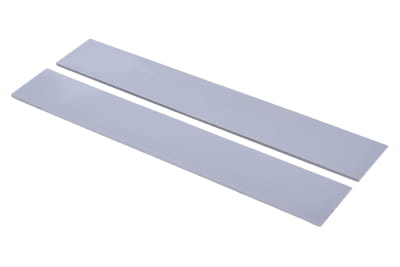
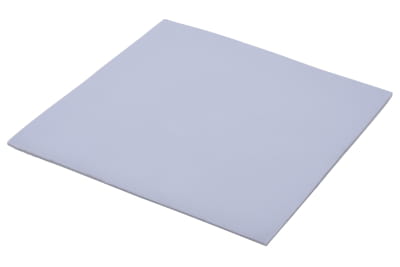
Thermal pads provide a simple and effective solution to protect sensitive electronic components from damage caused by overheating. These practical thermal pads ensure excellent thermal conductivity and can easily be used even in confined spaces. To protect graphics cards, motherboards, and other electronic devices, thermal pads have proven to be highly reliable. Find the best thermal pads in various designs at an affordable price in our shop.

Thermal pads provide a simple and effective solution to protect sensitive electronic components from damage caused by overheating. These practical thermal pads ensure excellent thermal... czytaj więcej »
Zamknij okno
Podkładka termiczna

Thermal pads provide a simple and effective solution to protect sensitive electronic components from damage caused by overheating. These practical thermal pads ensure excellent thermal conductivity and can easily be used even in confined spaces. To protect graphics cards, motherboards, and other electronic devices, thermal pads have proven to be highly reliable. Find the best thermal pads in various designs at an affordable price in our shop.

What are thermal pads?

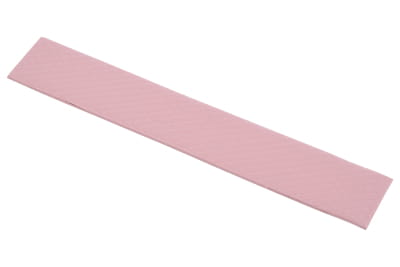
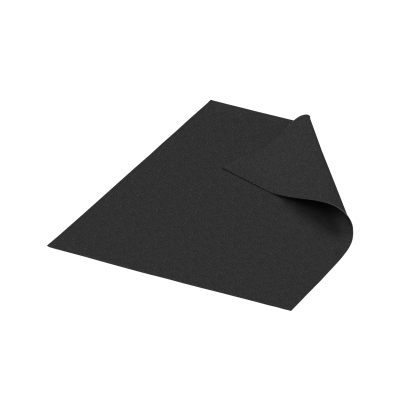
Simply put, thermal pads are small, flexible cushions that are placed or glued onto electronic components to bridge gaps between the component and a heat sink. In this way, thermal pads support heat dissipation and prevent components from overheating during operation. Thermal pads are offered as an alternative to thermal paste.

Why are thermal pads needed?

In a computer, the CPU, GPU, and other electronic components generate heat during operation. This heat must be dissipated using a cooling system to prevent overheating. If graphics cards, chips, and other components become too hot, it not only reduces performance but can also cause permanent damage.

Cooling systems are not always 100% efficient. Often, this is due to structural conditions: if there is an air gap between a component and a heat sink, the efficiency of heat dissipation automatically decreases. Even with water or air cooling, overheating can still occur. Thermal pads close such "air bridges" and enable faster, more efficient heat transfer.

Note: We are often asked whether thermal pads can be stacked. This is theoretically possible, but should only be done when absolutely necessary. Too many layers can reduce thermal conductivity. It is better to choose a pad with the correct thickness. If stacking cannot be avoided, only pads of the same material and thickness should be combined.

What types of thermal pads are there?

Thermal pads differ in size, thickness, and material composition. Many innovative manufacturers such as Alphacool or Thermal Grizzly regularly develop new material combinations to make thermal pads for graphics cards or CPUs even more powerful and durable.

To ensure that thermal pads fulfill their intended purpose, they are made from thermally conductive materials. Typically, these are material mixtures designed to increase overall efficiency. In addition to rubber-like plastics and silicone, ceramic particles such as aluminum oxide or metallic particles like aluminum are often used.

Important: The composition of the thermal pad also determines its electrical conductivity. For example, thermal pads containing aluminum are electrically conductive and should therefore be used with care, as improper use could lead to a short circuit.

Where can thermal pads be used?

Thermal pads are highly versatile. They are often used to protect heat-sensitive components in computers – for example, as thermal pads for graphics cards or thermal pads for CPUs. They can also be used in electric vehicles, notebooks, laptops, gaming consoles, and telecommunication devices. Here are a few examples:

Thermal pads for graphics cards

Thermal pads for graphics cards (GPUs) are a classic use case. They can be applied to memory chips (VRAMs) or voltage regulators (VRMs). In many cases, they perform better than thermal paste because they provide a large-area heat transfer.

Thermal pads for processors

Thermal pads for processors (CPUs) are less commonly used. Instead, thermal paste is preferred, as it adapts perfectly to smooth surfaces and meets the high demands of heat dissipation. Thermal pads for CPUs are typically used on secondary components such as voltage regulators (VRMs) or chipsets on the motherboard.

Thermal pads for RAM modules

Especially in gaming and high-performance memory, thermal pads for RAM are often used to absorb temperature spikes and ensure efficient heat transfer.

What are self-adhesive thermal pads?

Self-adhesive thermal pads are particularly easy to handle: they only need to be pressed lightly onto the component and then adhere on their own. This method is usually faster and cleaner than applying thermal paste.

Note: Some thermal pads are reusable after removal, while others are not. Therefore, always check the product description carefully before purchasing for detailed information.

When should thermal pads be used instead of thermal paste?

Thermal pads vs. thermal paste – a much-debated topic. There is no universal answer to the question of thermal pads or thermal paste, as it depends on several factors. In general, thermal pads are recommended:

  • when larger gaps need to be filled,
  • when easy installation is important,
  • when additional electrical insulation is required,
  • or when uneven surfaces need to be covered.

Buy high-performance thermal pads: large selection for various applications

In our shop, you can order top-quality thermal pads online at great prices and benefit from a wide range of different sizes, thicknesses, materials, and brands such as Alphacool or Thermal Grizzly. We also offer personal advice if you have questions about our products. Simply contact us and purchase thermal pads for graphics cards, laptops, and more.

Zamknij filtry
 
  •  
  •  
  •  
  •  
  •  
  •  
  •  
  •  
od do
  •  
  •  
  •  
  •  
  •  
  •  
  •  
  •  
  •  
  •  
  •  
  •  
  •  
  •  
  •  
  •  
  •  
  •  
  •  
  •  
  •  
  •  
  •  
  •  
  •  
  •  
  •  
  •  
  •  
  •  
  •  
  •  
  •  
  •  
  •  
  •  
  •  
  •  
  •  
  •  
  •  
  •  
  •  
Strona 5 Od 9
Nie znaleziono żadnych wyników!
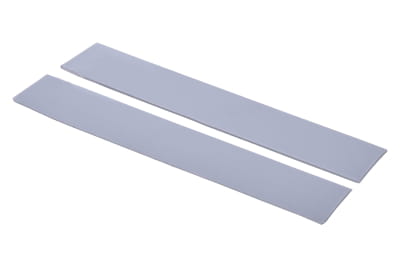
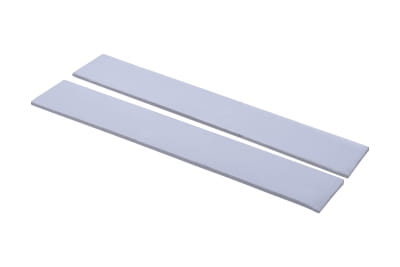
WAR Alphacool Eisschicht Wärmeleitpad - 14W/mK 120x20x1,5mm - 2 Stück
termiczna WAR Alphacool Ice Layer - 14W/mK 120x20x1,5mm - 2 sztuki
Dostępne
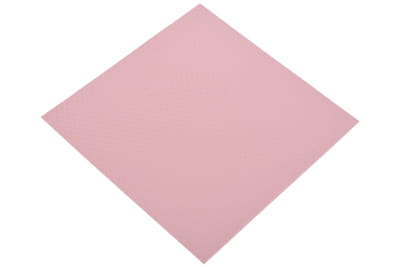
WAGZ Alphacool Eisschicht Wärmeleitpad - 17W/mK 100x100x0,5mm
termiczna WAGZ Alphacool Ice Layer - 17W/mK 100x100x0,5mm
Wkrótce ponownie dostępne.
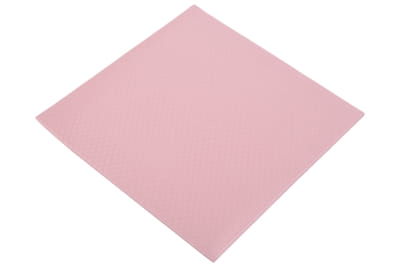
WAGZ Alphacool Eisschicht Wärmeleitpad - 17W/mK 100x100x1,5mm
termiczna z warstwą lodową WAGZ Alphacool - 17W/mK 100x100x1,5mm
Dostępne
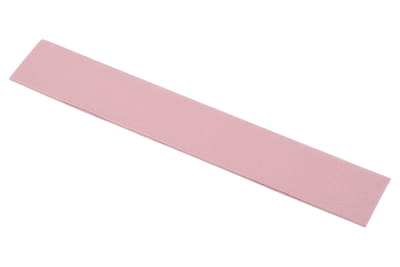
WAR Alphacool Eisschicht Wärmeleitpad - 17W/mK 120x20x0,5mm - 2 Stück
termiczna WAR Alphacool Ice Layer - 17W/mK 120x20x0,5mm - 2 sztuki
Dostępne
WAR Alphacool Eisschicht Wärmeleitpad - 17W/mK 120x20x1mm - 2 Stück
termiczna WAR Alphacool Ice Layer - 17W/mK 120x20x1mm - 2 sztuki
Dostępne
WAR Alphacool Eisschicht Wärmeleitpad - 17W/mK 120x20x1,5mm - 2 Stück
termiczna WAR Alphacool Ice Layer - 17W/mK 120x20x1,5mm - 2 sztuki
Dostępne
WAGZ Alphacool Eisschicht Light Wärmeleitpad - 7W/mK 100x100x0,5mm
termoprzewodząca WAGZ Alphacool Eisschicht Light - 7W/mK 100x100x0,5mm
Dostępne
WAGZ Alphacool Eisschicht Light Wärmeleitpad - 7W/mK 100x100x1mm
termoprzewodząca WAGZ Alphacool Eisschicht Light - 7W/mK 100x100x1mm
Wkrótce ponownie dostępne.
WAR Alphacool Eisschicht Light Wärmeleitpad - 7W/mK 120x20x1mm
termoprzewodząca WAR Alphacool Eisschicht Light - 7W/mK 120x20x1mm
Dostępne
WAR Alphacool Eisschicht Light Wärmeleitpad - 7W/mK 120x20x1,5mm
termoprzewodząca WAR Alphacool Eisschicht Light - 7W/mK 120x20x1,5mm
Dostępne
WAGZ Aquacomputer Wärmeleitpad für kryoM.2, 70 x 20 mm, Stärke 1,8 mm
termiczna WAGZ Aquacomputer do kryoM.2, 70 x 20 mm, grubość 1,8 mm
Dostępne
WÄM Alphacool Wärmeleitklebepad doppelseitig 26x30x0,5mm
termoprzylepna WĘM Alphacool dwustronna 26x30x0,5mm
Dostępne
WÄM Thermal Grizzly Carbonaut Wärmeleitpad - 25 × 25 × 0,2 mm
Thermal Grizzly Carbonaut Wärmeleitpad - 25 × 25 × 0,2 mm
Wkrótce ponownie dostępne.
WAGZ Alphacool Eisschicht Ultra Soft Wärmeleitpad 3W/mk 100x100x0,5mm
Alphacool Ice Layer Ultra miękka podkładka termiczna 3W/mk 100x100x0,5mm
Dostępne
WAGZ Alphacool Eisschicht Ultra Soft Wärmeleitpad 3W/mk 100x100x1mm
Alphacool Ice Layer Ultra miękka podkładka termiczna 3W/mk 100x100x1mm
Dostępne
WÄM Arctic Wärmeleitpad 145x145x0,5
Arktyczna podkładka termiczna 145x145x0,5
Dostępne
WÄM Thermal Grizzly Minus Pad 8 - 30 × 30 × 0,5 mm
Thermal Grizzly Minus Pad 8 - 30 × 30 × 0,5 mm
Dostępne
WÄM Thermal Grizzly Minus Pad 8 - 30 × 30 × 1,0 mm
Thermal Grizzly Minus Pad 8 - 30 × 30 × 1,0 mm
Dostępne
Strona 5 Od 9

nasz bestseller

What are thermal pads?

Simply put, thermal pads are small, flexible cushions that are placed or glued onto electronic components to bridge gaps between the component and a heat sink. In this way, thermal pads support heat dissipation and prevent components from overheating during operation. Thermal pads are offered as an alternative to thermal paste.

Why are thermal pads needed?

In a computer, the CPU, GPU, and other electronic components generate heat during operation. This heat must be dissipated using a cooling system to prevent overheating. If graphics cards, chips, and other components become too hot, it not only reduces performance but can also cause permanent damage.

Cooling systems are not always 100% efficient. Often, this is due to structural conditions: if there is an air gap between a component and a heat sink, the efficiency of heat dissipation automatically decreases. Even with water or air cooling, overheating can still occur. Thermal pads close such "air bridges" and enable faster, more efficient heat transfer.

Note: We are often asked whether thermal pads can be stacked. This is theoretically possible, but should only be done when absolutely necessary. Too many layers can reduce thermal conductivity. It is better to choose a pad with the correct thickness. If stacking cannot be avoided, only pads of the same material and thickness should be combined.

What types of thermal pads are there?

Thermal pads differ in size, thickness, and material composition. Many innovative manufacturers such as Alphacool or Thermal Grizzly regularly develop new material combinations to make thermal pads for graphics cards or CPUs even more powerful and durable.

To ensure that thermal pads fulfill their intended purpose, they are made from thermally conductive materials. Typically, these are material mixtures designed to increase overall efficiency. In addition to rubber-like plastics and silicone, ceramic particles such as aluminum oxide or metallic particles like aluminum are often used.

Important: The composition of the thermal pad also determines its electrical conductivity. For example, thermal pads containing aluminum are electrically conductive and should therefore be used with care, as improper use could lead to a short circuit.

Where can thermal pads be used?

Thermal pads are highly versatile. They are often used to protect heat-sensitive components in computers – for example, as thermal pads for graphics cards or thermal pads for CPUs. They can also be used in electric vehicles, notebooks, laptops, gaming consoles, and telecommunication devices. Here are a few examples:

Thermal pads for graphics cards

Thermal pads for graphics cards (GPUs) are a classic use case. They can be applied to memory chips (VRAMs) or voltage regulators (VRMs). In many cases, they perform better than thermal paste because they provide a large-area heat transfer.

Thermal pads for processors

Thermal pads for processors (CPUs) are less commonly used. Instead, thermal paste is preferred, as it adapts perfectly to smooth surfaces and meets the high demands of heat dissipation. Thermal pads for CPUs are typically used on secondary components such as voltage regulators (VRMs) or chipsets on the motherboard.

Thermal pads for RAM modules

Especially in gaming and high-performance memory, thermal pads for RAM are often used to absorb temperature spikes and ensure efficient heat transfer.

What are self-adhesive thermal pads?

Self-adhesive thermal pads are particularly easy to handle: they only need to be pressed lightly onto the component and then adhere on their own. This method is usually faster and cleaner than applying thermal paste.

Note: Some thermal pads are reusable after removal, while others are not. Therefore, always check the product description carefully before purchasing for detailed information.

When should thermal pads be used instead of thermal paste?

Thermal pads vs. thermal paste – a much-debated topic. There is no universal answer to the question of thermal pads or thermal paste, as it depends on several factors. In general, thermal pads are recommended:

  • when larger gaps need to be filled,
  • when easy installation is important,
  • when additional electrical insulation is required,
  • or when uneven surfaces need to be covered.

Buy high-performance thermal pads: large selection for various applications

In our shop, you can order top-quality thermal pads online at great prices and benefit from a wide range of different sizes, thicknesses, materials, and brands such as Alphacool or Thermal Grizzly. We also offer personal advice if you have questions about our products. Simply contact us and purchase thermal pads for graphics cards, laptops, and more.